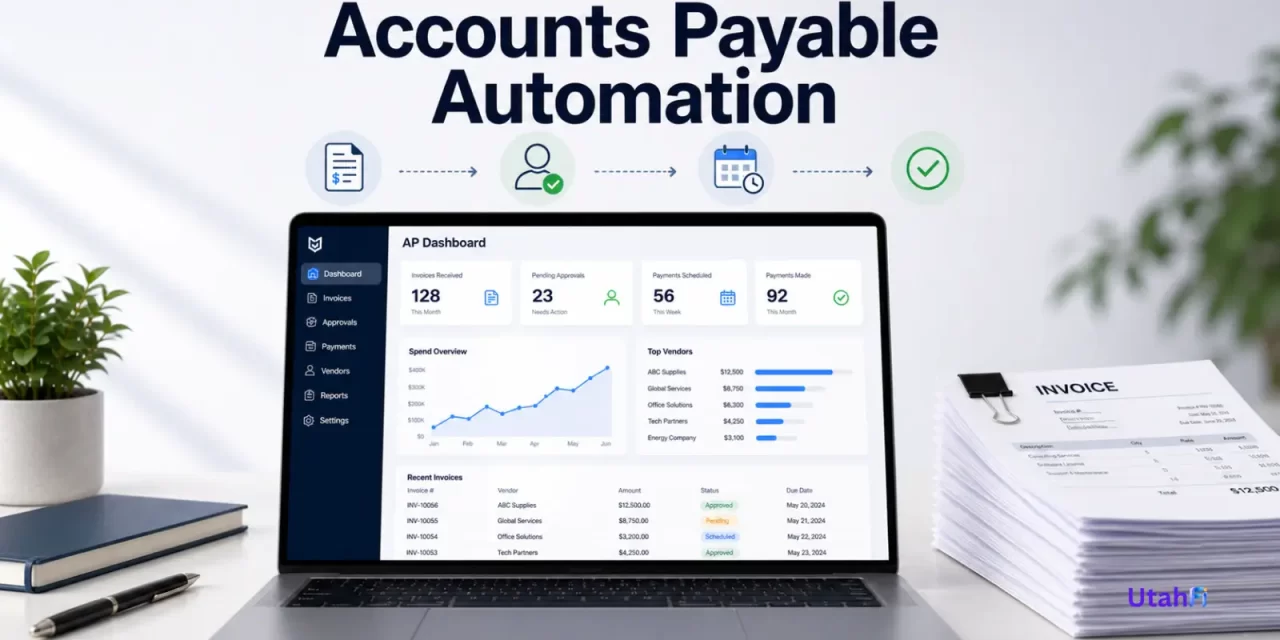
What Is Accounts Payable Automation
Accounts payable automation is the use of software to manage and automate how a business handles bills, invoices, approvals, and payments. Instead of relying on paper, spreadsheets, and manual work, businesses use digital systems to track what they owe and pay vendors more efficiently.
In a traditional setup, invoices are received, entered manually, approved through emails or paperwork, and paid one at a time. With automation, these steps are handled through connected workflows, where invoices are captured digitally, approvals follow predefined rules, and payments are scheduled or completed within a centralized system.
This shifts accounts payable from a manual task into a streamlined financial process that improves visibility, reduces errors, and helps businesses stay on top of payments.
In Simple Terms
Think of accounts payable automation like autopay for a business, but more advanced.
Instead of logging in every time to pay a bill, the system tracks what is due, routes approvals, and pays vendors on schedule. Everything happens in the background while still giving the business visibility and control.

What Changed (Before vs Now)
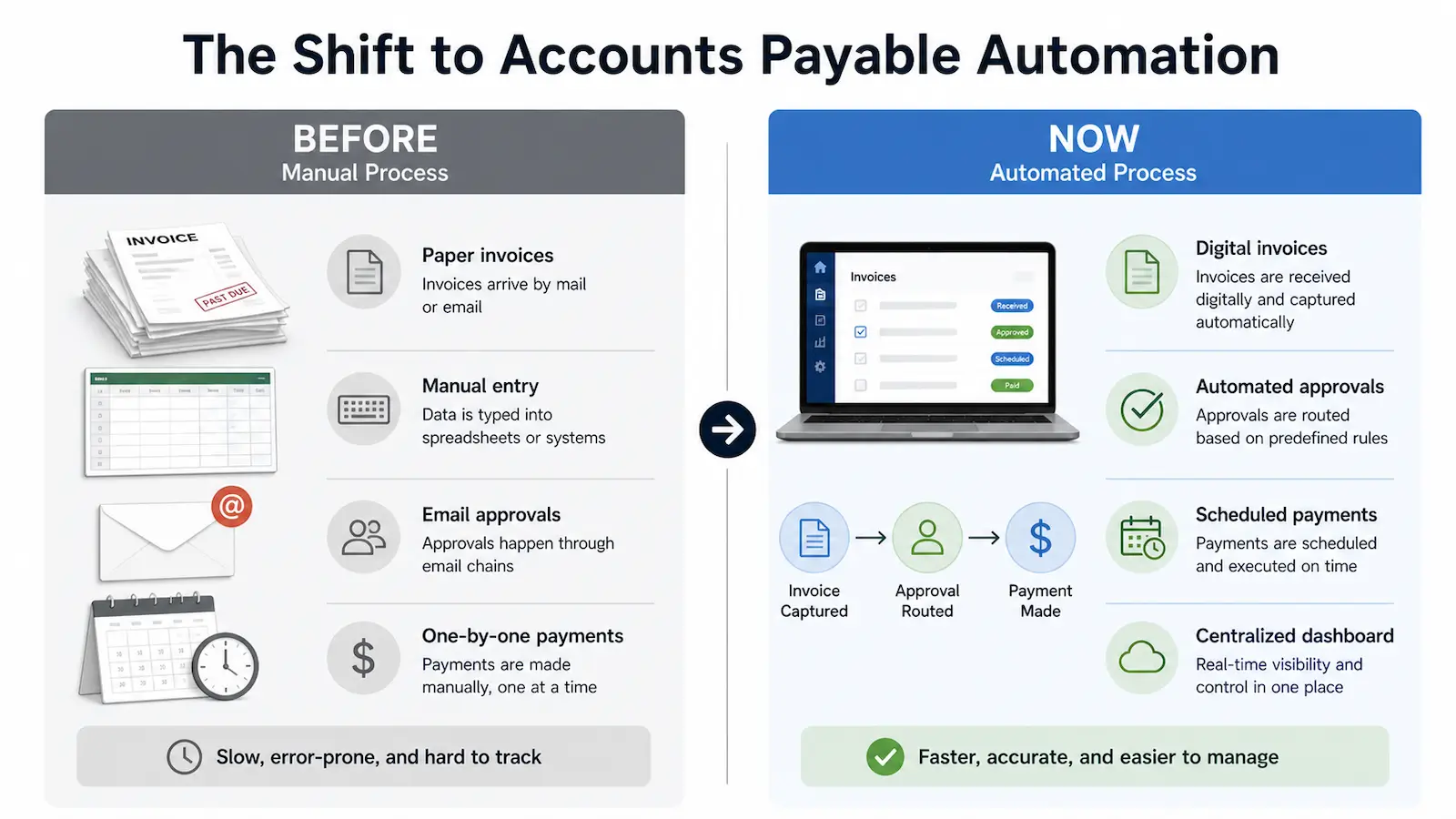
Before accounts payable automation, businesses relied on manual processes.
- Paper invoices — invoices arrive by mail or email
- Manual entry — data is typed into spreadsheets or systems
- Email approvals — approvals happen through email chains
- One-by-one payments — payments are made manually, one at a time
These steps are slow, disconnected, and require constant manual work.
Now, businesses use automated workflows.
- Digital invoices — invoices are received and captured automatically
- Automated approvals — approvals are routed based on predefined rules
- Payments executed — payments are processed automatically or on schedule
- Centralized dashboard — real-time visibility and control in one place
This shift replaces manual steps with a streamlined, connected process that is faster, more accurate, and easier to manage.
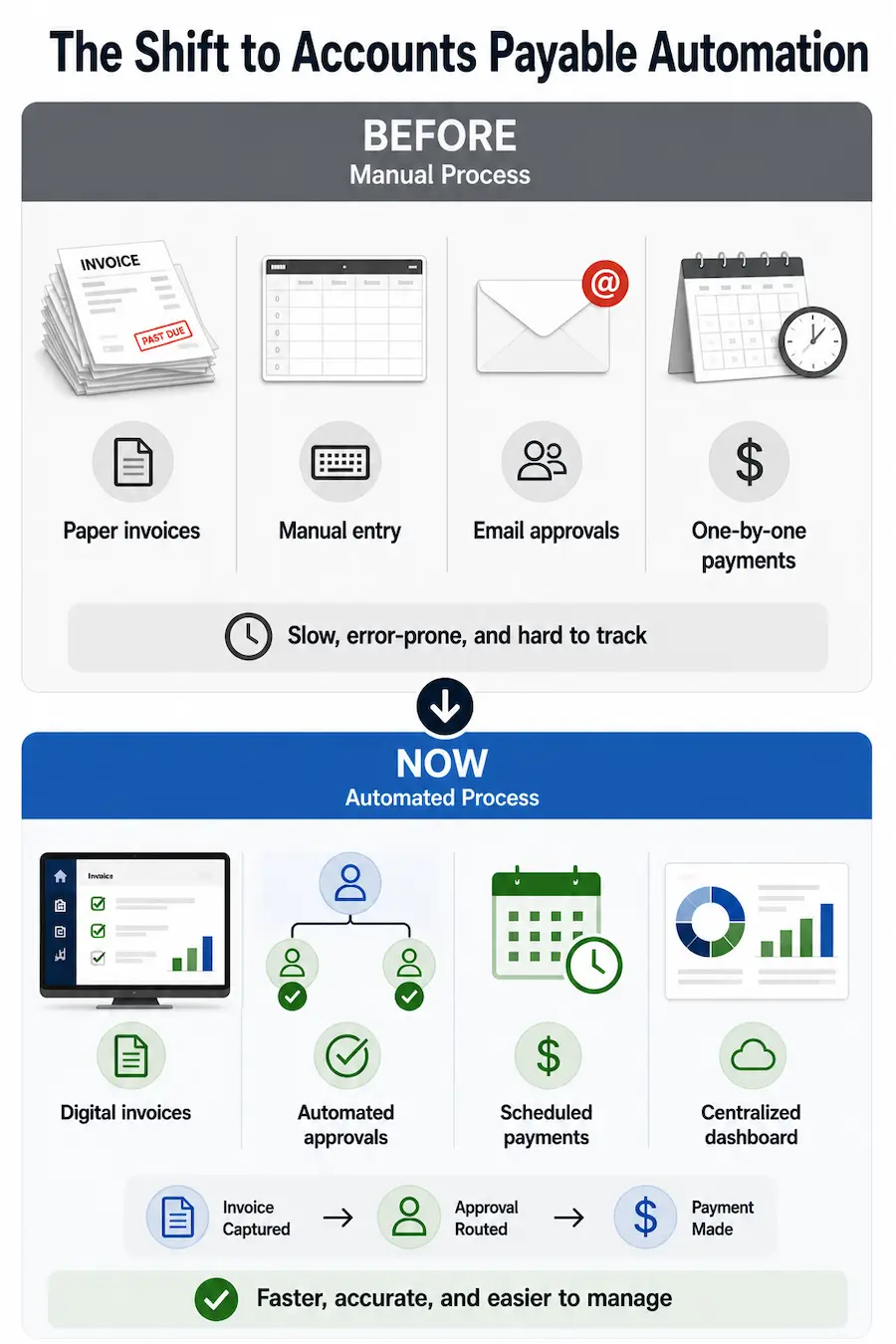
Accounts Payable Automation Manual vs Automated
Examples of Accounts Payable Automation
Accounts payable automation shows up in everyday business operations through simple, repeatable workflows.
- Automatically paying recurring bills — rent, utilities, and subscriptions are tracked and paid on schedule without manual input
- Routing invoices for approval — invoices are sent to the right person based on rules like amount, vendor, or department
- Scheduling vendor payments — businesses can plan payments in advance to avoid late fees and manage cash flow
- Tracking expenses in one place — all invoices, approvals, and payments are visible in a centralized system
These examples show how accounts payable automation replaces manual tasks with consistent, automated processes that keep payments organized and predictable.
How Accounts Payable Automation Works
Accounts payable automation follows a structured, digital workflow that replaces manual steps with connected processes.
- Invoices received — through email, uploads, or integrations
- Data captured — key details are extracted and organized automatically
- Approvals routed — invoices are sent based on predefined rules
- Payments executed — payments are processed automatically or on schedule
- Activity tracked — every step is recorded in a centralized system
This process turns accounts payable into a continuous, automated flow instead of a series of disconnected manual tasks.
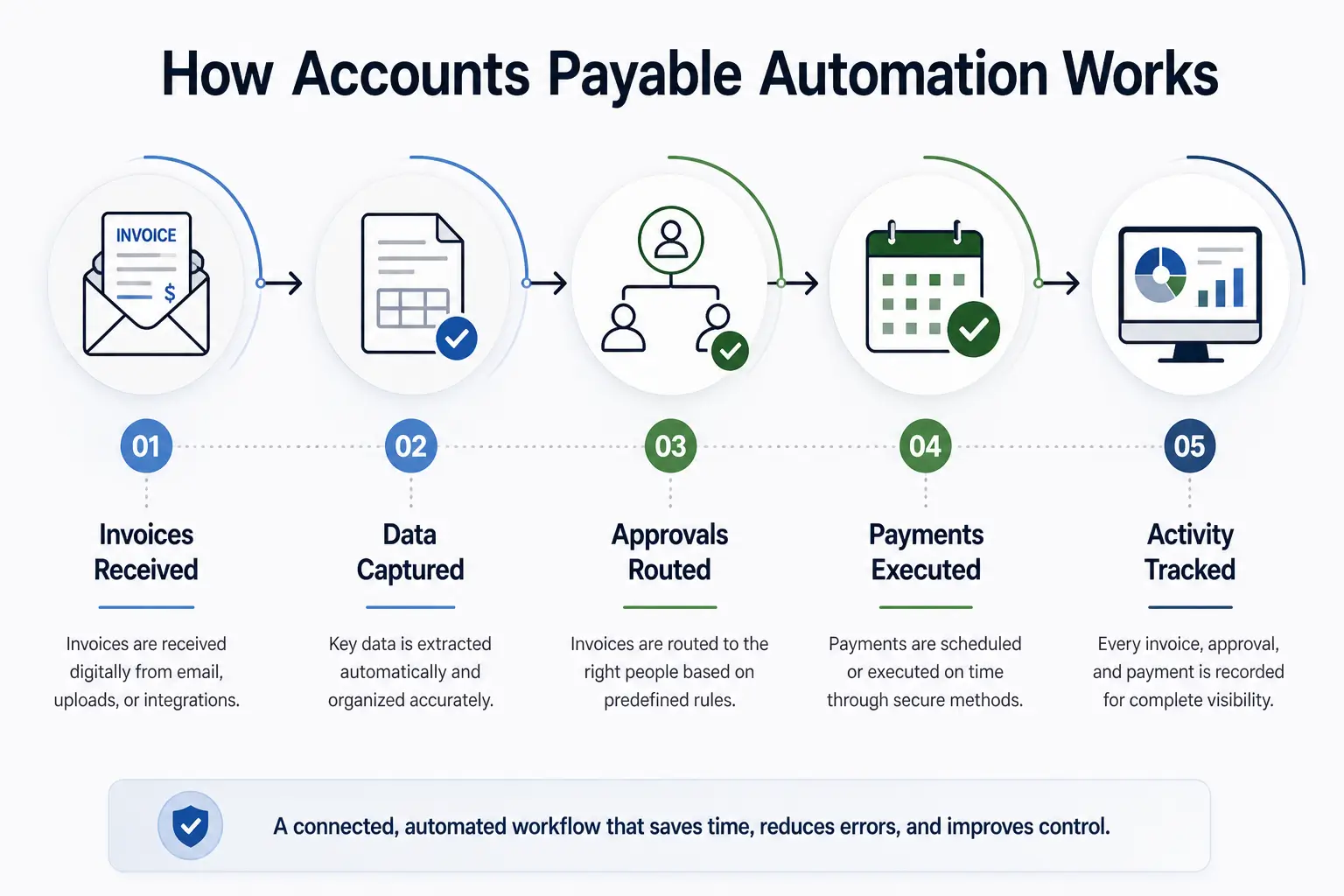
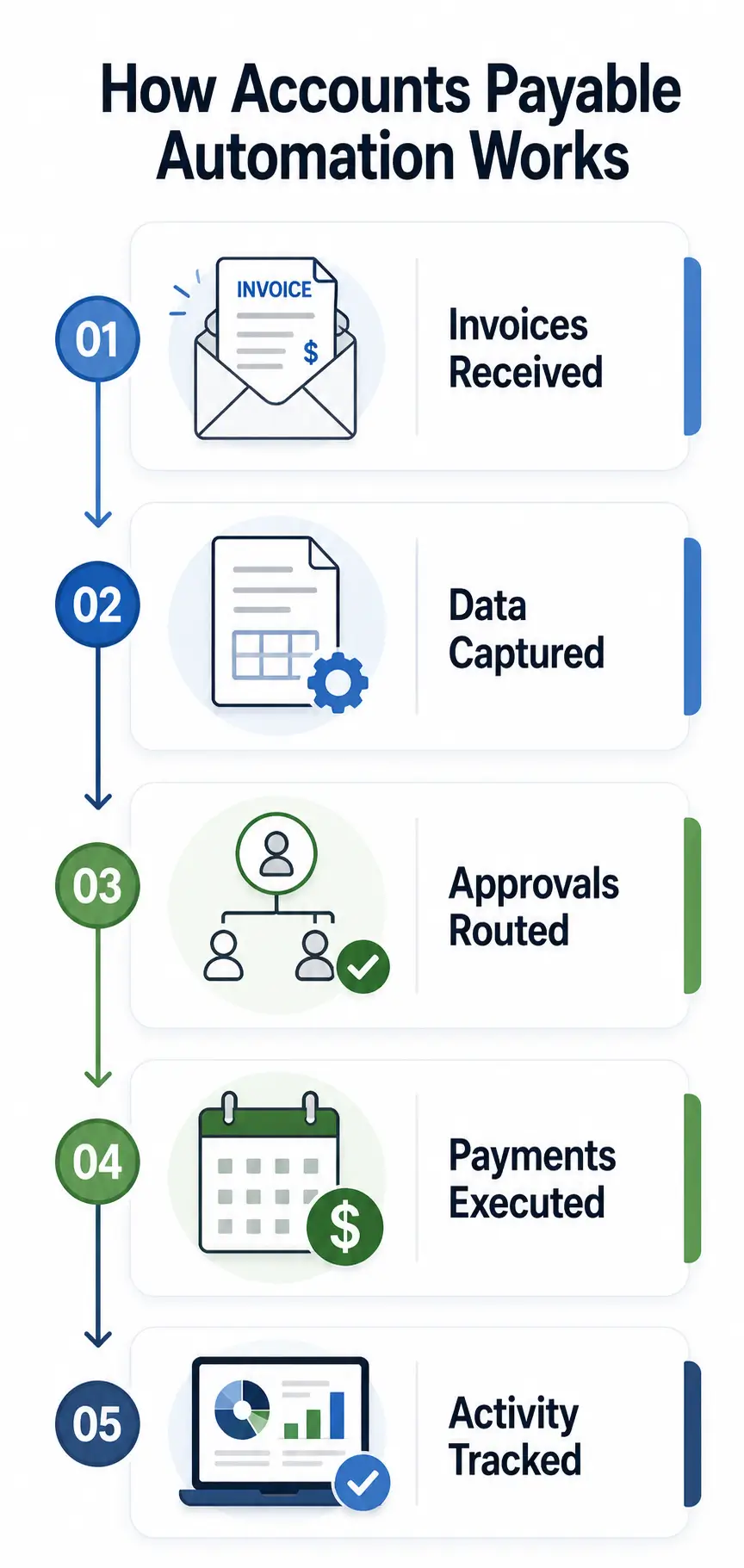
How Accounts Payable Automation Works
Key Players and Competitors
Accounts payable automation operates alongside companies that manage payments and financial workflows. These platforms focus on helping businesses automate invoices, approvals, and payments within a centralized system.
Utah-based companies
 BILL — Captures invoices, routes approvals, and executes payments within a single system.
Other companies in this space
- Melio — Enables digital vendor payments and centralized bill management.
- Tipalti — Supports global payables, compliance workflows, and large-scale payments.
- AvidXchange — Automates invoice processing, approvals, and vendor payments for mid-sized businesses.
- Stampli — Improves invoice collaboration, approvals, and workflow visibility.
Why It Matters
Accounts payable automation changes how businesses manage payments behind the scenes. What used to be a slow, manual process becomes a faster, more connected workflow that improves both efficiency and control.
- Saves time — reduces manual work like data entry, invoice tracking, and payment processing by using automated workflows.
- Improves accuracy — minimizes errors by capturing and organizing invoice data automatically.
- Reduces payment delays — speeds up approvals and allows payments to be scheduled in advance.
- Improves cash flow visibility — gives businesses a clear view of what they owe and when payments are due.
For many businesses, this shift is not just about efficiency. It helps create more predictable financial operations and allows teams to focus less on manual tasks and more on managing the business.

Accounts Payable Automation and Embedded Finance
Accounts payable automation is increasingly connected to embedded finance, where financial tools are built directly into business platforms instead of existing as separate systems.
Instead of switching between accounting software, banking platforms, and payment tools, businesses can manage invoices and payments within the same environment they already use. This creates a more seamless experience where financial actions happen as part of everyday workflows.
For example, a business using an accounting or operations platform can receive invoices, approve them, and pay vendors without leaving the system. Payments become part of the workflow rather than a separate step.
This integration is part of the broader shift toward embedded finance, where financial services are built directly into software platforms, as described in Embedded Finance: How Financial Services Are Moving Inside Apps.
Accounts Payable Automation and AI in Finance
Accounts payable automation is increasingly enhanced by artificial intelligence, which helps systems handle tasks that go beyond basic automation.
AI can read and interpret invoices, extracting key details such as amounts, due dates, and vendor information without manual input. This reduces the need for data entry and helps ensure information is captured accurately.
It can also detect patterns and flag issues, such as duplicate invoices, unusual payment amounts, or missing information. This adds an extra layer of oversight and helps prevent errors or potential fraud.
In addition, AI can prioritize and streamline approvals, helping route invoices more efficiently based on past behavior or predefined rules. Over time, systems can improve how they manage workflows by learning from previous actions.
These capabilities reflect the broader shift toward AI-driven financial systems described in AI in Finance: How Artificial Intelligence Is Changing Money.
Accounts Payable Automation and Open Finance
Accounts payable automation also benefits from open finance, which allows financial data to move between systems more easily.
Instead of keeping invoice and payment data locked in separate platforms, businesses can connect their accounting software, banking tools, and payment systems. This allows information to stay updated across systems without manual entry.
For example, when an invoice is processed and paid, that information can automatically update in accounting records and reflect in cash flow tracking. This reduces duplication and helps ensure that financial data stays consistent.
This type of connectivity reflects the broader shift described in Open Finance: How Financial Data Is Becoming Shareable and Portable, where financial information can move across platforms to support more efficient and accurate workflows.
Limitations
While accounts payable automation offers clear benefits, it also comes with practical limitations that businesses need to consider.
- Requires setup and integration — businesses need to connect systems such as accounting software, payment platforms, and approval workflows, which can take time to configure.
- Not all vendors are digital — some suppliers still rely on paper invoices or manual processes, which can limit full automation.
- Dependence on software platforms — businesses rely on third-party systems to manage payments and workflows, which can introduce risks if systems fail or change.
- Can add complexity for small businesses — companies with simple payment needs may find full automation unnecessary or harder to manage than manual processes.

What’s Next (Future of Accounts Payable Automation)
Accounts payable automation is continuing to evolve as financial systems become more connected and intelligent.
- More real-time payments — businesses are moving toward faster payment methods, reducing delays between invoice approval and payment execution.
- Deeper AI integration — systems will rely more on artificial intelligence to automate decision-making, detect issues, and improve workflows over time.
- End-to-end automation — more processes will be handled automatically, from invoice receipt to payment and tracking, with minimal human involvement.
- Broader system integration — accounts payable will become more connected with other business systems such as accounting, payroll, and financial planning tools.
These developments point toward a future where accounts payable becomes a fully integrated and largely automated financial function.
Conclusion
Accounts payable automation transforms how businesses handle invoices and payments. What was once a manual, time-consuming process becomes a connected and streamlined workflow.
By replacing paper-based tasks and disconnected systems with digital processes, businesses can save time, reduce errors, and improve visibility into their financial operations.
As automation, data connectivity, and intelligent systems continue to evolve, accounts payable is becoming a more efficient and integrated part of how businesses manage money.

Disclaimer: Information in this article is for educational purposes and may change over time.